


Worked demo · sample data. This article walks through an illustrative workflow. Every record and amount in it is sample data, not a client result.
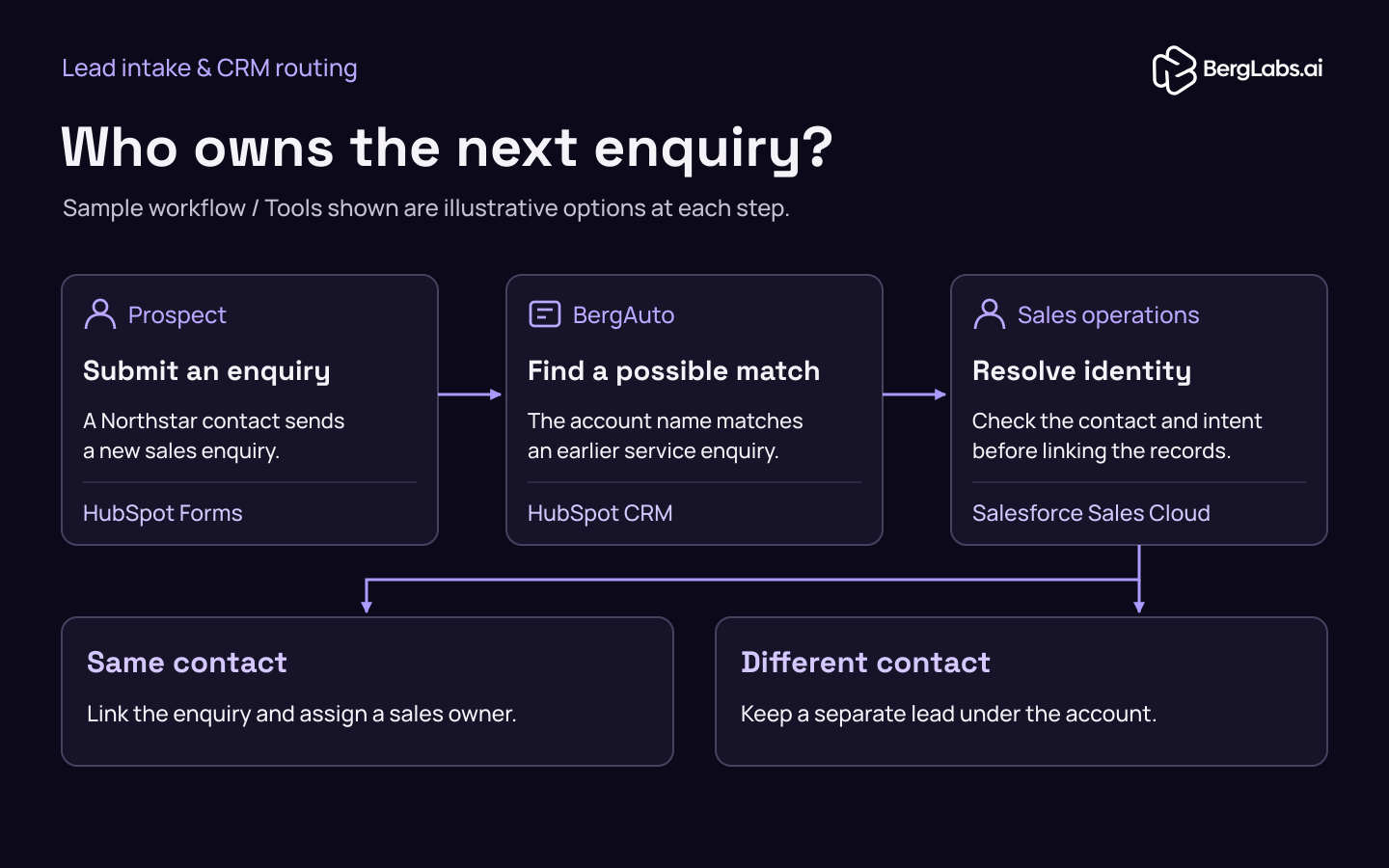
A sales enquiry arrives under a company name already attached to a service case. The matching name is useful evidence. On its own it cannot tell the team whether the enquiry belongs to the same person or the same sales opportunity.
Keep the source values visible
BergAuto validates the incoming fields and checks them against the agreed matching rules. A possible duplicate goes into BergFlow with the incoming and existing values side by side. The reviewer can see what matched and why the workflow paused.
Resolve the match and assign the next action
If the enquiries serve different purposes, the reviewer keeps them separate and assigns a sales owner. When the evidence supports an update, the reviewer clears the change against the existing record. The approved decision determines what syncs to the CRM and which owner receives the next action.
What a pilot should demonstrate
Use one intake source and one CRM. Test a genuinely new lead, a confirmed match and an ambiguous pair. For each fixture, compare the source values, review decision and destination record. Then resubmit the same fixture and check for an unintended duplicate or an overwritten service history.
