


Worked demo · sample data. This article walks through an illustrative workflow. Every record and amount in it is sample data, not a client result.
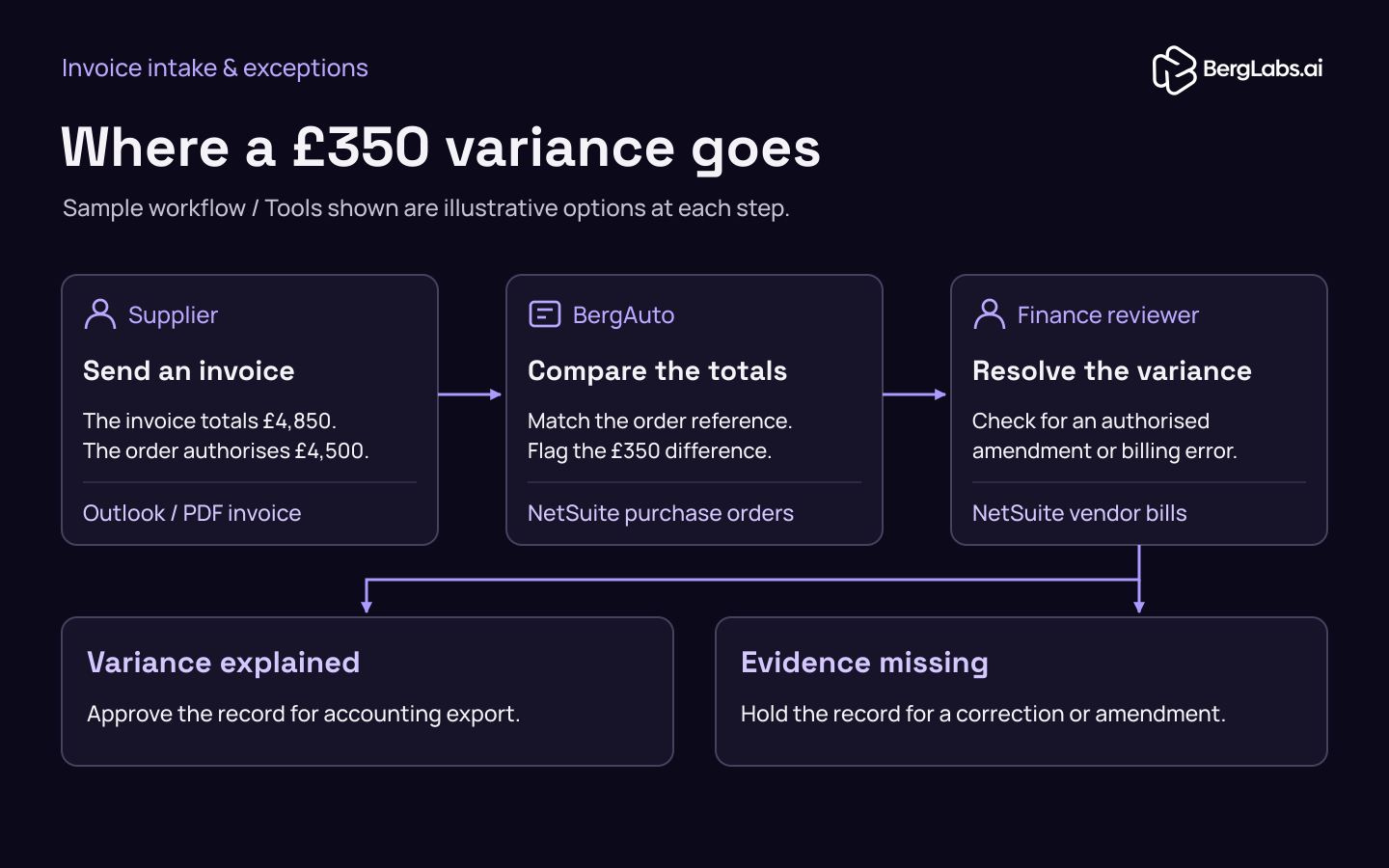
An invoice arrives for £4,850. The purchase order authorises £4,500. Both documents are legible, and both totals are valid. The £350 difference is why accounts payable needs a review step between extraction and export.
Give finance the discrepancy
BergAuto extracts candidate invoice fields, then checks required values, duplicate candidates and the purchase-order match against the agreed rules. In this example the total check flags the difference. BergFlow sends the reviewer both amounts and the reason the record is on hold.
Record the decision before export
The reviewer checks the invoice against the order and any authorised amendment. If the evidence supports the higher amount, the reviewer records that decision. If it does not, the record stays on hold while finance requests a correction. A cleared record can proceed to accounting. Payment authorisation remains with finance.
What the first milestone tests
Start with one inbox, one invoice format and one accounting destination. Run a matching invoice, a duplicate and the £350 discrepancy through the workflow. For each, check the extracted fields, routing decision and final export state. The mismatch passes the test when finance can trace why it stopped and who cleared it.
